Unlock the power of organization with a bullet journal tailored for your work life. This comprehensive guide provides a structured approach to capturing, organizing, and managing your work notes, tasks, and projects. From meetings to research, deadlines to client interactions, discover how a bullet journal can streamline your workflow and boost your productivity.
This guide delves into the essential elements of bullet journaling for work, offering practical strategies, templates, and examples to inspire your own personalized system. We’ll cover everything from initial setup to advanced techniques, ensuring you have a solid foundation for effective note-taking and project management.
Introduction to Bullet Journaling for Work Notes
A bullet journal is a customizable system for organizing personal and professional tasks, notes, and ideas. It goes beyond simple note-taking by providing a structured framework for managing your workflow, fostering creativity, and enhancing productivity. This system offers a flexible and adaptable approach to personal organization.Using a bullet journal for work notes provides numerous advantages, including enhanced focus on tasks, improved time management, and a clearer understanding of project timelines.
This method promotes a systematic approach to note-taking, leading to more efficient task management and better organization of ideas.
Definition of a Bullet Journal
A bullet journal is a self-designed, customizable system for managing tasks, notes, and ideas. It’s not a rigid template; rather, it’s a dynamic framework tailored to individual needs and preferences. The key to its effectiveness lies in its flexibility and adaptability to different workflows and organizational styles.
Benefits of Bullet Journaling for Work Notes
Bullet journaling for work notes offers several key benefits. It allows for better organization of projects and tasks, enabling efficient workflow management. Visualizing tasks and deadlines facilitates better time management and helps avoid missed deadlines. A clear overview of project progress enhances overall productivity and reduces stress related to task completion. The flexibility of bullet journaling allows for personalized modifications, making it a highly adaptable system.
Core Principles of Bullet Journaling
The core principles of bullet journaling revolve around simplicity, personalization, and flexibility. Simplicity ensures easy comprehension and application, making it accessible to users of all levels. Personalization allows users to adapt the system to their unique needs, ensuring optimal use. Flexibility allows for adjustment to changing demands, guaranteeing the system’s continued relevance. These three principles are fundamental to the effectiveness and longevity of a bullet journal system.
Bullet Journaling vs. Other Note-Taking Methods
Bullet journaling distinguishes itself from other note-taking methods through its focus on visualization and customization. While other methods might emphasize specific formats or software, bullet journaling prioritizes the user’s ability to tailor the system to their workflow. Its visual representation of tasks, projects, and deadlines provides a more holistic overview compared to linear note-taking. The adaptability of bullet journaling further sets it apart from rigid templates.
Simple Bullet Journal Layout for Work Notes
A simple bullet journal layout for work notes could include the following sections:
- Monthly Overview: This section provides a high-level view of tasks and projects scheduled for the month, helping users prioritize and allocate time effectively. A monthly calendar or a visual representation of key projects is ideal.
- Weekly Spread: This section details tasks and deadlines for the upcoming week. It allows for a weekly breakdown of projects and helps users manage their time efficiently. Use colors and symbols to visually distinguish different project phases or task priorities.
- Daily Log: This section provides a space for detailed notes on daily tasks, completed work, and any outstanding items. A simple table format with columns for time slots, tasks, and notes can be highly effective.
- Project Log: This section houses detailed notes for specific projects. Use sub-bullet points for different phases, tasks, and deadlines. This allows for a comprehensive overview of each project.
This structured layout facilitates quick access to information and ensures a clear overview of all tasks and projects.
Setting Up Your Bullet Journal for Work

A well-organized Bullet Journal (BuJo) can significantly enhance your work productivity by providing a central hub for managing tasks, projects, and ideas. This section will guide you through the essential steps of setting up your BuJo specifically for work-related notes, from choosing the right materials to creating effective spreads for managing your time and projects.Choosing the right materials and notebook is crucial for a smooth and enjoyable journaling experience.
This involves considering factors such as the size and type of paper, the desired aesthetic, and the amount of space needed for your notes. The notebook should be large enough to accommodate your work-related tasks and information, but not so large that it becomes unwieldy or difficult to handle.
Choosing a Suitable Notebook and Supplies
Selecting the right notebook and supplies is essential for a comfortable and productive journaling experience. Consider the size and paper type, ensuring durability and suitability for your needs. A larger notebook will provide more space for detailed notes and spreads, while a smaller one might be more portable. The paper quality is also crucial, as it affects the writing experience and the longevity of your journal.
Choose a paper that is smooth, sturdy, and suitable for different writing tools.A variety of writing instruments can enhance your BuJo. Highlighters, pens, colored markers, and even washi tape can make your entries more visually appealing and easier to navigate. These tools allow you to visually categorize and prioritize tasks, making it simpler to scan and find information when needed.
Furthermore, consider incorporating stickers or other decorative elements to customize your BuJo and maintain a personal touch.
Setting Up the Front and Index Pages
The front and index pages of your BuJo are crucial for organizing your work notes effectively. These pages act as a roadmap, enabling you to quickly locate specific information and projects.
- Front Page: This is your personal introduction to your BuJo. Include a title for your BuJo, your name, the date of creation, and a short personal motto or vision statement related to your work goals. You could even include a graphic or decorative element to make it visually appealing. This page serves as a quick visual reference.
- Index Page: Create a comprehensive index page. This page should list all the key sections and spreads within your BuJo, including the month, week, and tracker names, and the corresponding page numbers. This enables quick navigation throughout your BuJo, whether it’s for a specific project or task.
Creating a Monthly Spread
A monthly spread serves as a high-level overview of your work for the month. It allows you to plan projects and tasks in advance and track your progress.
| Date | Task/Project | Status | Priority | Notes |
|---|---|---|---|---|
| 2024-08-01 | Project Alpha Planning Meeting | To Do | High | Prepare presentation slides, gather necessary documents |
| 2024-08-01 | Client Report | In Progress | Medium | Drafting in progress, need data from team B |
Organizing Weekly Spreads
Weekly spreads provide a detailed breakdown of your daily work schedule. They allow you to break down large projects into manageable tasks and allocate time for specific activities.
- Time Blocking: Allocate specific time slots for tasks or meetings. This helps you stay organized and manage your time effectively.
- Task Prioritization: Use visual cues like color-coding or symbols to prioritize tasks based on urgency and importance.
- Progress Tracking: Include a section to track the completion of tasks and note any progress or challenges.
Examples of Work-Related Trackers
Different trackers can help you manage various aspects of your work.
- Project Tracker: This tracker allows you to monitor project progress, deadlines, and milestones.
- Client Tracker: Use this to record important client information, tasks, and deadlines.
- Skill Development Tracker: A useful tool for monitoring your learning progress and skill development.
- Meeting Tracker: Record meeting agendas, action items, and attendees.
Recording Work Notes in a Bullet Journal
Effectively recording work notes in a bullet journal enhances organization and facilitates quick retrieval of crucial information. This section details various methods for documenting meetings, tasks, projects, client interactions, and research, all within a structured and easily navigable system.This structured approach ensures you don’t lose track of important details, whether it’s a client’s specific needs, action items from a meeting, or a promising research avenue.
Utilizing bullet points, checkboxes, and formatting, you can create a dynamic and insightful record of your professional activities.
Recording Meeting Minutes
Recording accurate meeting minutes is essential for tracking decisions, assignments, and next steps. A dedicated system allows for quick reference and facilitates follow-up actions.
- Date and Time: Start by recording the date and time of the meeting. This is crucial for accurate referencing.
- Attendees: List all participants. This allows for a comprehensive record of who was present.
- Topic(s): Briefly summarize the key topics discussed in the meeting.
- Decisions: Document any decisions made, including who is responsible for implementing them and a timeline for completion.
- Action Items: List any action items, clearly assigning responsibilities and due dates. Use a checklist to track progress.
- Key Takeaways: Note any key insights, challenges, or solutions that emerged during the meeting. A few bullet points for each of these can be useful.
Recording Tasks and Projects
A well-structured system for recording tasks and projects ensures clarity, promotes accountability, and allows for effective progress tracking.
- Task Description: Clearly describe the task or project, outlining the objective and expected outcome. A concise and specific description is beneficial.
- Due Date: Include the deadline for completion of the task. A clear due date ensures timely action.
- Priority Level: Assign a priority level (e.g., high, medium, low) to categorize tasks based on urgency and importance. This allows for a prioritized workflow.
- Checkboxes: Use checkboxes to mark tasks as completed. This provides a visual representation of progress.
- Dependencies: Identify any dependencies on other tasks or projects, illustrating how they are interconnected.
Recording Client Interactions
Documenting client interactions is critical for maintaining a record of discussions, agreements, and expectations.
- Date and Time: Record the specific date and time of the interaction.
- Client Name: Include the client’s name for easy identification.
- Purpose of Interaction: Briefly describe the reason for the interaction.
- Key Discussion Points: Summarize the key topics or concerns discussed during the interaction.
- Action Items: Note any action items agreed upon, including deadlines and responsibilities.
- Follow-up Actions: Include planned follow-up activities, including who is responsible and when the follow-up is due.
Recording Research and Ideas
A structured approach to recording research and ideas ensures they are easily accessible and organized for future use.
- Source: Clearly identify the source of the research or idea (e.g., website, article, conversation). This is critical for proper attribution.
- Date: Record the date when the research or idea was gathered. This helps with tracking the chronology.
- Key Points: Summarize the most important findings or ideas. Use bullet points to break down complex information.
- s: Add relevant s to facilitate quick searches and organization.
- Connections: Link the research or idea to existing projects or tasks. This highlights connections and potential applications.
Organizing Projects and Tasks in Your Bullet Journal
Effectively managing projects and tasks is crucial for maximizing productivity. A well-structured system within your Bullet Journal ensures that you can track progress, identify bottlenecks, and stay on schedule. This section details strategies for categorizing projects, breaking down complex tasks, assigning deadlines, prioritizing work, and linking tasks across projects, all integral components of a successful work Bullet Journal.
Project Categorization
A clear system for categorizing projects within your Bullet Journal is essential for easy navigation and overview. This helps you quickly locate specific projects and understand their scope. Consider using a dedicated section or a specific symbol (e.g., a colored bullet point or a special icon) to represent project categories. For example, you might categorize projects by department, client, or project type.
This allows for a visual overview of your workload and enables you to quickly see which projects are in progress or require immediate attention.
Task Breakdown
Breaking down large projects into smaller, manageable tasks is key to effective project management. This approach makes complex projects less daunting and allows for more focused effort. Use a hierarchical system within your Bullet Journal. List the main project, followed by subtasks, and then further breakdown these subtasks into even smaller, actionable steps. This breakdown allows for a clear picture of the work required and helps track progress at various stages of the project.
For example, a project titled “Develop Marketing Campaign” might be broken down into subtasks like “Research Target Audience,” “Create Content Strategy,” and “Design Marketing Materials.” Each subtask can then be further broken down into specific, actionable steps.
Deadline Assignment and Prioritization
Assigning deadlines and prioritizing tasks is crucial for maintaining a focused workflow. Use a dedicated space in your Bullet Journal to clearly record deadlines for each task. Consider using a calendar view or a dedicated “Due Dates” section. Prioritize tasks based on urgency and importance using methods like the Eisenhower Matrix (Urgent/Important). This allows you to focus on high-priority items and ensures that critical tasks are addressed promptly.
For example, a task requiring immediate attention might be assigned a higher priority than a task with a flexible deadline.
Task Dependencies
Creating task lists with dependencies is essential for projects with interconnected steps. Use numbered lists or symbols to indicate the sequence of tasks. This allows you to see which tasks must be completed before others can begin. For example, “Research Target Audience” must be completed before “Create Content Strategy.” In your Bullet Journal, clearly illustrate these dependencies.
This prevents delays and ensures that the project progresses in an organized and logical manner.
Linking Tasks Across Projects
Linking tasks across different projects is a powerful method for better project management. Use a system to visually connect related tasks from various projects. This might involve using a color-coded system or linking different tasks with cross-references in your Bullet Journal. This enables you to see the overall impact of each task and identify potential conflicts or dependencies between projects.
For instance, a task in one project might directly impact a task in another project. Clearly identifying these connections allows for proactive adjustments and avoids overlooking important interdependencies.
Utilizing the Index and Referencing Notes

A well-maintained index is crucial for navigating your bullet journal effectively. It acts as a roadmap, allowing you to quickly locate specific notes, tasks, and projects without spending time searching through pages. This section details how to create and utilize your index for optimal efficiency in your work bullet journal.A robust index allows you to efficiently find the information you need, streamlining your workflow.
By establishing a clear and consistent referencing system, you ensure that your bullet journal remains a valuable tool for managing your work.
Importance of the Index
The index serves as a critical navigational tool within your bullet journal. It provides quick access to specific notes, tasks, and projects, saving you valuable time and effort. Without a proper index, locating information can become a time-consuming process, potentially hindering your productivity.
Creating a Functional Index
A well-structured index ensures smooth navigation. It is essential to establish a system that aligns with your work style.
- Consistent Formatting: Use a consistent format for entries in your index. For example, for projects, use the project name as the key and then the page number where the project details are recorded. This consistency allows for easy scanning and quick location of entries.
- Specific s: Incorporate relevant s to improve searchability. Include not only the project name but also key terms associated with it. This ensures you can locate related information even if you don’t remember the precise project name.
- Cross-referencing: Establish a system for cross-referencing entries. For example, if a task is associated with multiple projects, list it in the index for each relevant project. This ensures you can locate the task from different perspectives, improving your understanding of project interdependencies.
Cross-referencing Between Sections
Cross-referencing between different sections of your bullet journal is vital for a holistic view of your work. It helps you understand the connections between different aspects of your projects.
- Project-Task Connections: When you list a project in the index, include the page number where the tasks related to that project are detailed. Similarly, when a task is listed, note the associated project for quick retrieval.
- Note Connections: If a note is relevant to multiple projects or tasks, list it in the index under each relevant entry. This approach ensures you can find the note from various perspectives.
- Meeting Minutes: For meeting minutes, list the meeting date and a brief summary in the index, then cross-reference it with relevant project entries.
Updating the Index
Maintaining an accurate index is crucial for its effectiveness. Regular updates are essential to reflect changes in your work.
- Regular Reviews: Review your index regularly, ideally weekly or bi-weekly, to ensure accuracy. This allows you to catch any discrepancies promptly and prevent confusion.
- Changes and Additions: Update the index immediately after adding new projects, tasks, or notes. This ensures that your index is always a reflection of the current status of your work.
- Task Completion: When a task is completed, update the index to reflect its status, either by removing it or marking it as completed.
Best Practices for a Consistent Index
Consistency is key to the effectiveness of your index. A well-organized index allows you to quickly locate the information you need.
- Consistency in Formatting: Maintain a consistent format for all entries. This ensures readability and efficient navigation.
- Regular Review: Regularly review and update the index to keep it current with your work.
- Thoroughness: Ensure every project, task, and important note is listed in the index. This allows for comprehensive coverage of your work.
Maintaining Consistency and Efficiency

Maintaining a consistent workflow and keeping your bullet journal up-to-date are crucial for maximizing its effectiveness. This involves developing strategies that integrate your bullet journal into your daily routine, fostering a sense of accountability, and proactively addressing potential challenges. Regular review and updating of your work notes ensure that your journal remains a dynamic and accurate reflection of your projects and tasks.Successfully implementing a bullet journal system for work requires understanding and adapting the system to your unique work style.
This involves acknowledging and resolving potential obstacles in maintaining consistent use and organization. By addressing these elements, you can ensure your bullet journal remains a valuable tool for productivity and efficiency.
Strategies for Consistent Workflow
Establishing a consistent workflow involves integrating your bullet journal into your daily or weekly routines. This integration requires a proactive approach, recognizing the importance of consistency for effective note-taking. Consistency ensures that the journal becomes an indispensable part of your work process.
- Dedicated Time Slots: Schedule specific time slots for reviewing and updating your bullet journal. This could be a daily 15-minute review or a weekly dedicated session. Consistency in scheduling builds the habit and ensures that your journal is actively maintained.
- Regular Review Cycles: Establish a recurring review cycle for your projects. This might be daily, weekly, or monthly, depending on the complexity of your work. Regular reviews allow you to stay updated on progress and adjust plans as needed.
- Integrating into Existing Routines: Link the use of your bullet journal to existing routines. For instance, review notes immediately after meetings or add new tasks to your journal at the start of your workday. This integration strengthens the habit formation.
Tips for Keeping Your Bullet Journal Up-to-Date
Proactive measures and establishing clear systems are vital for maintaining the journal’s accuracy and usefulness. A proactive approach to updates ensures that your bullet journal remains a reliable source of information.
- Immediate Entries: Whenever possible, enter information into your bullet journal immediately after it occurs. This prevents forgetting important details and maintains a chronological record. For example, quickly jot down meeting takeaways or action items as they happen.
- Regular Review: Review your bullet journal regularly, at least daily or weekly, to ensure all information is accurate and up-to-date. This proactive approach helps prevent information from becoming outdated.
- Clear Labeling and Categorization: Implement clear labels and categorization schemes for your notes. This aids in quickly locating information later. For example, use tags for different project types or clients.
Benefits of Regular Review and Updating
Regular review and updating of your work notes bring numerous benefits to your workflow. These benefits directly correlate with the consistent and proactive use of the bullet journal.
- Improved Accuracy: Regular review ensures your notes remain accurate and up-to-date. This prevents discrepancies and ensures you have the most current information at hand.
- Enhanced Efficiency: Accurate and up-to-date notes translate to a more efficient workflow. You can easily find information, track progress, and make informed decisions.
- Reduced Stress: A well-organized and up-to-date bullet journal can reduce stress associated with remembering tasks and deadlines. This reduced stress translates to a more productive work environment.
Adapting to Your Work Style
Adapting your bullet journal system to your unique work style ensures optimal effectiveness. This tailored approach makes the journal a more personalized and valuable tool.
- Customization: Tailor the layout, structure, and features of your bullet journal to your specific work style and needs. Consider your preferred note-taking methods and incorporate those into your system.
- Personalization: Personalize your bullet journal with colors, images, or other visual aids to enhance engagement and motivation. This personalization can make the journaling process more enjoyable.
- Flexibility: Ensure the bullet journal system is flexible enough to accommodate changes in your workflow or project demands. The system should not hinder but rather support your work style.
Troubleshooting Common Challenges
Addressing common challenges proactively can help ensure that your bullet journal remains a valuable tool. These solutions help mitigate potential obstacles in maintaining consistency.
- Lack of Time: Allocate dedicated time slots for reviewing and updating your bullet journal. Break down large tasks into smaller, more manageable steps.
- Forgetting to Update: Set reminders or use scheduling tools to help you remember to update your bullet journal. This can help maintain consistency and reduce the likelihood of forgetting.
- Feeling Overwhelmed: Simplify your system, focusing on the most critical elements of your workflow. Start with a basic system and gradually add more complexity as needed.
Advanced Techniques and Strategies

Leveraging your bullet journal for work goes beyond basic note-taking. Advanced techniques allow you to integrate various tools and systems, enhancing efficiency and providing a holistic view of your projects and tasks. This section delves into strategies for incorporating digital tools, project management systems, and advanced visual cues within your bullet journal.By combining the structure and flexibility of a bullet journal with the power of digital tools, you create a personalized and dynamic system that adapts to your unique work style.
This synergy ensures that your work notes are not just organized, but also highly actionable and insightful.
Integrating Other Tools and Apps
Integrating external tools enhances the power of your bullet journal by connecting your work processes across various platforms. This allows for a centralized record of your work activities and a streamlined workflow. To achieve this, note down the key functions and features of the external tool, and create a corresponding space in your bullet journal for logging data. This space should include fields for the tool’s name, specific task, date of use, and any relevant notes.
This structured approach will help you track your use of different tools and identify trends or areas for improvement.
Incorporating Digital Tools
Digital tools can be seamlessly integrated into your bullet journal system. This integration often involves creating digital checklists or to-do lists that are synchronized with your bullet journal entries. A good example is linking your calendar appointments to your bullet journal, enabling you to easily track deadlines and meetings. This integration can be accomplished through various methods, including digital to-do list apps or dedicated calendar software.
The key is consistency, as this will allow for smooth transitions between digital and physical note-taking.
Project Management System Example
A project management system within a bullet journal can be created by using a dedicated spread for each project. This spread should include a project title, a brief description, a timeline (using dates and milestones), and a list of tasks. Tasks should be categorized by priority and due dates. Assign a unique color-code to each project to visually distinguish them.
Regularly update this spread to reflect progress, changes, and new tasks.
| Project | Description | Timeline | Tasks |
|---|---|---|---|
| Website Redesign | Update website content and design. | October 26th – November 30th | Content updates, Design revisions, Testing |
| Marketing Campaign | Launch a new social media campaign. | December 1st – December 15th | Content creation, Social media scheduling, Analytics tracking |
Advanced Color-Coding and Visual Cues
Employing advanced color-coding techniques allows for more nuanced visual cues and a more complex system. Beyond basic project colors, you can use different shades or variations of colors to differentiate task statuses (e.g., completed tasks in a lighter shade). Color-coding can also be used to link related tasks or notes within a project. Visual cues like icons or symbols can further enhance the clarity and visual appeal of your bullet journal.
Integrating Different Calendars and Schedules
Integrating different calendars and schedules into your bullet journal allows for a comprehensive overview of your commitments. Use a dedicated spread to log appointments from various calendars (personal, work, etc.). This spread can be structured to display appointments by day, week, or month. Link appointments to relevant projects or tasks within your bullet journal to maintain context.
Ensure that the schedule is regularly updated to reflect changes in appointments or deadlines.
Illustrative Examples of Work Note Entries
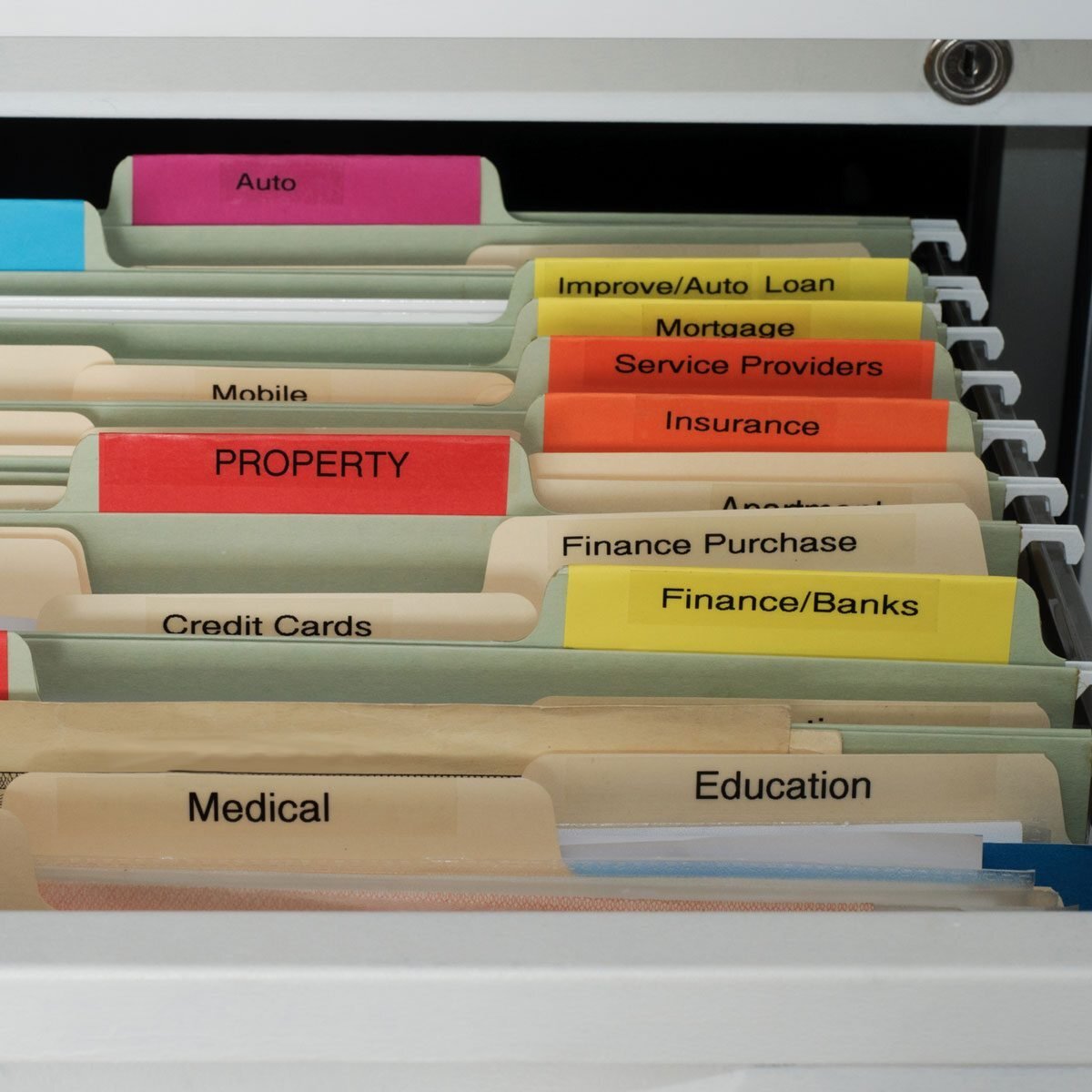
This section provides practical examples of how to record various types of work-related information in a Bullet Journal. These examples showcase different formats and structures, helping you tailor your Bullet Journal to your specific needs and workflows. By observing these examples, you can gain a clear understanding of how to capture crucial details effectively and consistently.
Meeting Minutes
Recording meeting minutes effectively allows you to quickly review key decisions and actions. The following table demonstrates various formats for capturing meeting details.
| Format | Description | Example |
|---|---|---|
| Basic Format | Simple notes summarizing the key discussion points, decisions, and action items. | Meeting: Project Alpha Review Date: 2024-10-27 Attendees: John Smith, Jane Doe, David Lee Key Discussion Points: Budget constraints, timeline adjustments, marketing strategy. Decisions: Revise marketing plan; extend timeline by two weeks. Action Items: Jane Doe to finalize revised marketing plan by 11/3; John Smith to update project timeline. |
| Detailed Format | More comprehensive record including time, location, and specific details of each discussion point. | Meeting: Client Presentation Date: 2024-10-26 Time: 10:00 AM – 11:30 AM Location: Conference Room 2 Attendees: Client XYZ, Marketing Team Discussion Points: (Detailed points of discussion, including specific figures, suggestions, and concerns). Decisions: Client agreed to a 15% discount. |
Client Interactions
Documenting client interactions allows for a comprehensive understanding of your progress and potential challenges. The table below showcases several methods for recording these interactions.
| Format | Description | Example |
|---|---|---|
| Interaction Log | Detailed record of each client interaction, including date, time, contact method, key discussion points, and follow-up actions. | Date: 2024-10-28 Client: ABC Company Contact: Phone Call Subject: Project Beta Update Details: Discussed timeline adjustments and potential roadblocks. Action Items: Send email with revised schedule. |
| Client Relationship Map | Visual representation of your relationships with clients, including contact details, key projects, and interaction history. | (Illustrative representation of a client relationship map, with client names, project names, and interaction dates, using a graphic representation would be ideal) |
Task and Project Organization
Effective task and project organization ensures clear workflow visualization and facilitates progress tracking. The following table illustrates a structured approach.
| Category | Description | Example |
|---|---|---|
| Project | Broader goal or objective. | Project Alpha: Website Redesign |
| Task | Specific step within a project. | Design Homepage; Write Content; Test Functionality |
| Due Date | Date by which the task needs to be completed. | Homepage Design: 2024-11-10 |
Workflow Visualization
Visualizing workflows helps you understand dependencies and potential bottlenecks. Use bullet journal layouts like Gantt charts or Kanban boards to illustrate the progression of tasks. Examples include using colored markers to denote task statuses or using a timeline to track dependencies.
Time Tracking
Tracking time spent on tasks allows you to identify areas for optimization and improve your efficiency. The table below provides methods for tracking time.
| Method | Description | Example |
|---|---|---|
| Time Log | Record the start and end time of each task, allowing for a detailed analysis of time spent on specific activities. | Task: Write Marketing Copy Start Time: 10:00 AM End Time: 12:00 PM Total Time: 2 hours |
Visual Aids and Imagery
Visual aids are crucial for making your bullet journal a powerful tool for managing your work. Effective use of visual cues, colors, and symbols can greatly enhance the clarity and organization of your notes, allowing you to quickly grasp key information and prioritize tasks. This section will explore various visual techniques to improve your bullet journal’s effectiveness.
Monthly Work Spread Layout
A visually appealing monthly spread will help you plan and track your work progress. A simple yet effective layout is a gridded calendar, with each box representing a day. Color-coding projects or tasks can be integrated within this grid. For example, tasks related to a specific project could be highlighted with a unique color. Adding a small, descriptive label above or below the grid, like “Project Q3 Launch” can provide a quick overview of the month’s activities.
Visually separating completed tasks with a different shade of the assigned color can also provide a clear visual representation of progress.
Project Breakdown
A project breakdown in a bullet journal visually represents the various components and tasks involved in a project. Use a hierarchical structure, similar to an Artikel. A top-level bullet might represent the project itself, with sub-bullets detailing key milestones, sub-tasks, and dependencies. Using different colored markers or pens for each level of the breakdown can make it easier to distinguish between project phases and individual tasks.
This hierarchical visualization provides a clear overview of the project’s structure and dependencies.
Task Priority Visual Cues
Visual cues are vital for quickly identifying task priorities. Using different-sized bullet points (e.g., a larger circle for high priority tasks) can help distinguish tasks that require immediate attention. A small star or a checkmark symbol alongside a task can indicate a task is complete or is marked for a certain priority. Alternatively, using a different color, like bold red or bright yellow, for high-priority tasks can immediately draw the eye to the most urgent items.
Prioritization helps ensure you tackle the most important tasks first.
Color Usage in a Bullet Journal
Color is a powerful tool for organization and clarity. A consistent color scheme for different categories of tasks or projects can help with quick identification. For example, use blue for client projects, green for internal tasks, and orange for deadlines. A color key, displayed at the beginning of your work journal, can serve as a quick reference for different color-coded items.
This will maintain consistency throughout your bullet journal and prevent confusion. An example might include a small legend with a square of each color used and a description of the category it represents.
Symbol Usage for Task Types
Symbols can further enhance the visual representation of tasks. For example, a clock symbol might indicate a time-sensitive task, a paperclip symbol could represent tasks requiring research or document management, and a lightbulb symbol could denote brainstorming or idea generation sessions. Using a symbol for each type of task can allow for quick visual identification and categorization. This visual representation will aid in the quick comprehension of task characteristics.
Concluding Remarks
In conclusion, this guide provides a roadmap for creating a personalized bullet journal system for your work life. By mastering the techniques presented, you can transform your note-taking process, boost productivity, and gain a clearer overview of your projects and tasks. From the basics of setting up your journal to advanced strategies for integrating digital tools, this comprehensive guide equips you with the knowledge and tools needed to excel in your professional life.