Welcome to a comprehensive guide on harnessing the power of bullet journaling for professional success. This method, known for its versatility and adaptability, transcends the realm of personal organization to become a powerful tool for optimizing workflow, managing tasks, and enhancing productivity. We’ll explore practical applications and demonstrate how a bullet journal can transform your work life.
From planning daily tasks to tracking project milestones, this guide will equip you with the knowledge and strategies needed to effectively integrate bullet journaling into your professional routine. We’ll delve into various layouts, techniques, and examples, ensuring that you can tailor your bullet journal to match your specific needs and job role.
Introduction to Bullet Journaling for Work
Bullet journaling is a highly customizable method of note-taking and planning that leverages a visually appealing system to organize personal and professional tasks. It transcends traditional planners and calendars by providing a flexible framework for capturing ideas, tracking progress, and fostering productivity. This approach empowers users to tailor their system to fit their specific needs, transforming the way they manage their work-related activities.The core principles of bullet journaling revolve around simplicity, personalization, and visual appeal.
Its adaptability allows users to combine various elements like to-do lists, calendars, project tracking, and brainstorming sessions within a single, visually engaging notebook. This adaptability makes it an effective tool for organizing work-related information and tasks.
Core Principles of Bullet Journaling
Bullet journaling operates on a few key principles that facilitate its effectiveness. These principles encourage users to tailor the system to their unique needs and workflow. Visual organization and structured note-taking are crucial aspects of bullet journaling, enabling users to effectively manage their work-related activities.
- Simplicity: Bullet journaling prioritizes simplicity by using a standardized system of symbols and abbreviations. This allows for quick and efficient note-taking without sacrificing clarity. This simplicity enables users to focus on the task at hand without being bogged down by unnecessary complexity.
- Personalization: Bullet journaling emphasizes personalization. Users can customize their layouts, templates, and symbols to reflect their specific needs and preferences. This adaptability makes it a versatile tool that adapts to the demands of different roles and tasks.
- Visual Appeal: The visual nature of bullet journaling is a key component. Users can use color-coding, images, and creative layouts to make their journals visually appealing and motivating. This visual aspect enhances focus and aids in better memory retention of important details.
Benefits of Bullet Journaling for Professional Tasks
Bullet journaling offers numerous advantages for managing professional tasks. It fosters better organization, enhanced focus, and improved productivity. By providing a personalized system, bullet journaling can help streamline workflow and reduce stress.
- Improved Organization: Bullet journaling allows for clear organization of tasks, deadlines, and projects. The structured approach helps users visualize their workload and prioritize tasks effectively. This structured approach is instrumental in preventing information overload and ensuring clarity in workflow.
- Enhanced Focus: The visual nature of bullet journaling can help maintain focus and clarity. The visually organized layout of the journal helps users stay on track and avoid distractions. This focus enables individuals to better prioritize their tasks and streamline their workflow.
- Increased Productivity: By providing a structured and personalized approach to task management, bullet journaling can significantly increase productivity. Clear visualization of tasks and deadlines fosters efficient workflow and helps users meet targets more effectively.
Examples of Workflow Improvement
Bullet journaling can improve workflows in numerous ways. It helps users track progress on projects, manage deadlines, and stay organized.
- Project Tracking: Users can create dedicated spreads for each project, noting tasks, deadlines, and progress. This visual representation helps track progress and identify potential roadblocks. This visual approach facilitates a clearer understanding of project milestones and potential roadblocks.
- Meeting Management: Bullet journaling can help users prepare for meetings by jotting down key talking points, action items, and follow-up tasks. This ensures a more focused and productive meeting experience. Bullet journaling enables better preparation and participation in meetings, leading to greater efficiency.
- Time Management: Bullet journaling can help users allocate time effectively for different tasks and projects. Visual representation of daily schedules helps maintain a clear sense of time management and reduces the risk of time slippage. This facilitates better time allocation and prevents tasks from falling behind schedule.
Bullet Journal Layouts for Work
A well-designed bullet journal layout can significantly improve efficiency and productivity. The following table provides examples of layouts that are suitable for work-related tasks.
| Layout | Description |
|---|---|
| Weekly Overview | A weekly overview spread helps visualize the entire week’s schedule, including meetings, deadlines, and important tasks. |
| Project Tracking | This layout is ideal for managing projects, breaking down tasks into smaller, actionable steps, and tracking progress. |
| Task Management | This layout is useful for managing daily tasks and organizing them based on priority and due dates. |
| Meeting Log | This layout helps record meeting details, action items, and follow-up tasks for each meeting. |
Planning and Scheduling for Work
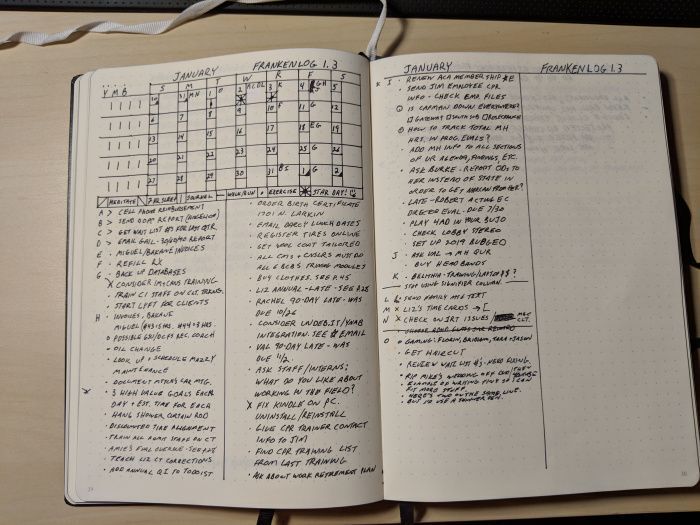
Effective planning and scheduling are crucial for productivity and achieving work goals. A well-structured bullet journal can provide a dynamic system for managing daily tasks, weekly schedules, and monthly objectives, all while aligning with your individual workflow. This section will delve into specific methods for incorporating these elements into your bullet journal.A bullet journal, when properly utilized, can transition from a simple task management system to a personalized project management tool.
This allows for a flexible framework that adapts to evolving work demands and promotes a proactive approach to tackling daily and long-term objectives.
Daily Task Planning
Daily task planning in a bullet journal fosters focus and efficiency. By creating a dedicated space for daily tasks, you can prioritize and allocate time effectively. Break down larger projects into smaller, manageable steps to prevent overwhelm. Consider using different colors or symbols to distinguish task types (e.g., meetings, emails, calls). This visual representation enhances clarity and enables quick identification of upcoming commitments.
Weekly Schedules
Weekly schedules in a bullet journal offer a comprehensive overview of the week’s activities. Visualizing the entire week allows you to identify potential conflicts and adjust plans accordingly. Use a dedicated weekly spread, either in a table format or a visual timeline. Include slots for meetings, appointments, and dedicated work blocks.
Monthly Goals
Monthly goals provide a roadmap for progress. List key objectives for the month and break them down into actionable steps within your bullet journal. This strategy helps in maintaining focus and allows for tracking progress towards long-term targets. Visualize your monthly goals using a monthly spread. This could involve creating a visual timeline or using color-coded bullet points to represent the progress of each goal.
Deadline and Appointment Tracking
Effective deadline and appointment tracking is crucial for avoiding missed commitments. Use a dedicated calendar or timeline within your bullet journal. Include reminders and potential buffer times for travel or unexpected delays. Consider using different colors to distinguish different types of appointments. For example, a bright color could be used for important meetings, while a muted color could be used for less crucial appointments.
Project Timeline Organization
| Method | Description | Example |
|---|---|---|
| Gantt Chart | Visually represents project tasks, dependencies, and timelines using horizontal bars. | Illustrates project milestones and the sequence of activities. |
| Timeline | Depicts tasks on a horizontal line, showing start and end dates. | Clearly displays the project duration and important milestones. |
| Kanban Board | Uses columns to represent different stages of project progress. | Visualizes the workflow of tasks from “To Do” to “Completed.” |
These methods are crucial for visualizing the entire project duration, identifying dependencies, and tracking progress towards milestones.
Integrating Project Management Tools
Integrating project management tools with a bullet journal can enhance your organizational capabilities. Tools like Trello or Asana can be linked to specific tasks or projects in your bullet journal. Use bullet points to connect tasks in your journal to corresponding project management tools, ensuring you have a centralized overview. This approach ensures a unified workflow and facilitates easy monitoring of progress across various tools.
Prioritizing Tasks
Prioritize tasks using bullet points and symbols to clearly distinguish urgent and important tasks. Use different symbols to represent task priority, such as an asterisk (*) for high priority, or a checkmark for completed tasks. This visual system aids in maintaining focus and facilitates quick identification of urgent tasks.Example:
High Priority
Submit Project Proposal (Due: 10/26)
Medium Priority
Attend Client Meeting (10/27)
Low Priority
Update Client Database
Task Management and Prioritization
Effective task management is crucial for maintaining productivity and achieving goals in a work environment. A well-structured bullet journal system can streamline this process, allowing you to categorize, prioritize, and track your tasks efficiently. This section will detail how to leverage your bullet journal for these essential aspects of work organization.Categorizing and organizing work tasks within a bullet journal allows for a clear visual representation of your workload.
This clarity helps in understanding the scope of your projects and the interdependencies between tasks. A well-defined system ensures that no task is overlooked and contributes to a more comprehensive approach to project management.
Categorization and Organization of Work Tasks
A well-structured bullet journal system for work tasks begins with effective categorization. This involves grouping similar tasks together. For instance, marketing tasks might fall under one category, while sales tasks belong in another. Further sub-categorization is possible within each broad category, such as “social media marketing” or “lead generation” under the “marketing” category. This layered approach allows for a more detailed and organized view of your workload.
Use of color-coding or symbols can further enhance categorization.
Prioritization Methods
Prioritizing tasks is essential for focusing on the most critical items first. Common methods include using a simple prioritization matrix, such as the Eisenhower Matrix (Urgent/Important), or assigning numerical values to tasks based on estimated time or impact. This system enables you to allocate your time and energy effectively, ensuring that high-priority tasks receive the necessary attention.
Tracking Project Progress
Tracking progress on projects is vital for monitoring deadlines and ensuring timely completion. In your bullet journal, you can use checklists, progress bars, or simply noting the completion status of each task. Visual representations like these help in maintaining an overview of project milestones and identify potential delays or bottlenecks early on. Regular updates on progress are crucial for maintaining momentum and avoiding last-minute rushes.
Using Symbols and Color-Coding
Using symbols or color-coding can further enhance the visual appeal and organization of your bullet journal. For example, you could use a specific symbol or color for recurring tasks, high-priority tasks, or tasks requiring external collaboration. This visual cue can improve recognition and understanding of task types at a glance, contributing to better time management and prioritization.
Examples of Task Management Templates
| Template Type | Description | Example |
|---|---|---|
| Daily Task List | A daily list of tasks with prioritization and time allocation. | Morning: Respond to emails, Complete project report draft. Afternoon: Client meeting, Prepare presentation materials. |
| Project Timeline | A visual representation of project phases, deadlines, and milestones. | Use a timeline to visually track the completion of each phase, noting deadlines and milestones. |
| Task Breakdown | Detailed breakdown of a project into smaller, manageable tasks. | Project: Launch new product. Tasks: Design marketing materials, create landing page, set up social media campaign. |
| Meeting Minutes Template | A structured format for recording meeting details, action items, and deadlines. | Include date, attendees, topics discussed, action items assigned, and deadlines. |
Idea Generation and Note-Taking
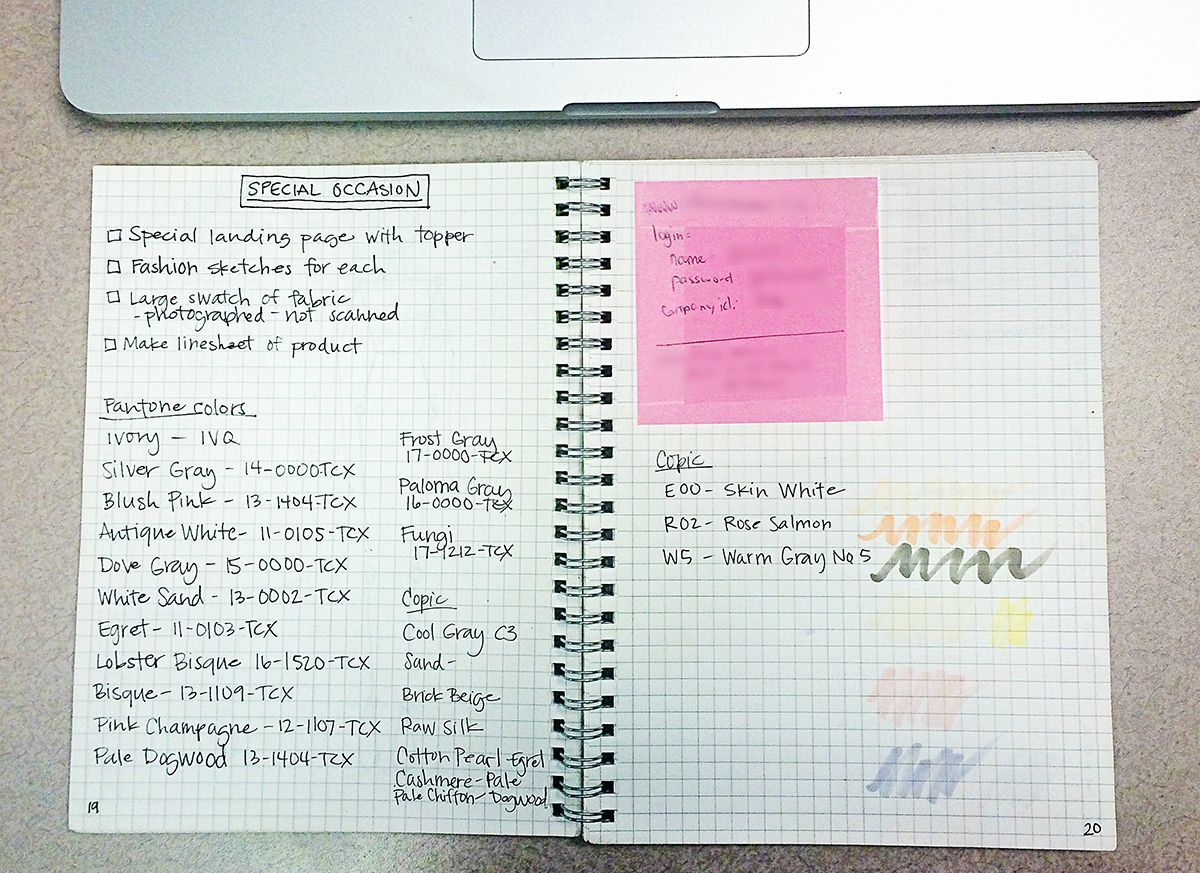
Capturing ideas and insights effectively is crucial for successful project management and innovation. A well-structured bullet journal system can streamline this process, ensuring ideas are not lost and readily accessible for future reference. This section will explore various methods for recording brainstorming sessions, meeting notes, and customer feedback, providing a robust framework for idea management within your work life.Effective note-taking, whether for brainstorming sessions or formal meetings, is vital for capturing and organizing crucial information.
It allows for later review, analysis, and action item follow-up. This section Artikels techniques for efficiently recording ideas and action items in your bullet journal, ultimately enhancing your productivity and decision-making processes.
Capturing Brainstorming Ideas
Brainstorming sessions often generate a flurry of ideas. A systematic approach to recording these ideas in your bullet journal ensures none are overlooked. Use dedicated spreads or pages for each brainstorming session, clearly labeling the date and topic. Employ a variety of methods to capture ideas, such as mind maps, lists, or even sketching. For complex concepts, consider using diagrams or flowcharts to visually represent the connections between ideas.
Recording Meeting Notes and Action Items
Meetings provide valuable insights and define action items. Implementing a structured note-taking system ensures clear understanding and accountability. Begin by recording the date, time, and attendees of the meeting. Use bullet points to capture key discussion points and decisions made. Clearly identify action items, assigning responsibilities and deadlines.
A dedicated section in your bullet journal can be used for tracking these action items.
Organizing Meeting and Brainstorming Notes
Different methods for organizing meeting and brainstorming notes exist. A simple method involves using different colors for different types of notes (e.g., ideas, decisions, action items). A more structured approach might use tabs or dividers to separate different projects or themes. Another strategy is to use a table format to organize notes, including columns for date, topic, key takeaways, action items, and assigned person.
Visual aids such as mind maps can help illustrate the relationships between ideas, while lists and Artikels provide a concise overview of the discussion.
Creating Templates for Customer Feedback
Templates are essential for consistently capturing customer feedback and requests. Create a template with fields for date, customer name, feedback type, description, and any associated action items. This template can be customized based on the type of feedback received. For example, a template for product feedback might include fields for the product version, features, and suggestions.
Comparing Note-Taking Styles
The following table compares different note-taking styles for capturing brainstorming and meeting information:
| Note-Taking Style | Description | Pros | Cons |
|---|---|---|---|
| Mind Mapping | Visual representation of ideas and their connections | Excellent for visualizing relationships, encourages creativity | Can become complex if not structured, might not be suitable for concise summaries |
| Outlining | Hierarchical structure of ideas and points | Clear and organized structure, easy to follow | Can be rigid, might not capture the flow of conversation |
| List format | Simple bullet points for key ideas and action items | Quick and easy to record information, highly adaptable | May lack context if not combined with other methods |
| Table format | Structured format with columns for different categories | Organized and easy to reference, ideal for action items and tracking | Might not be suitable for capturing nuanced discussions |
Maintaining Consistency and Motivation
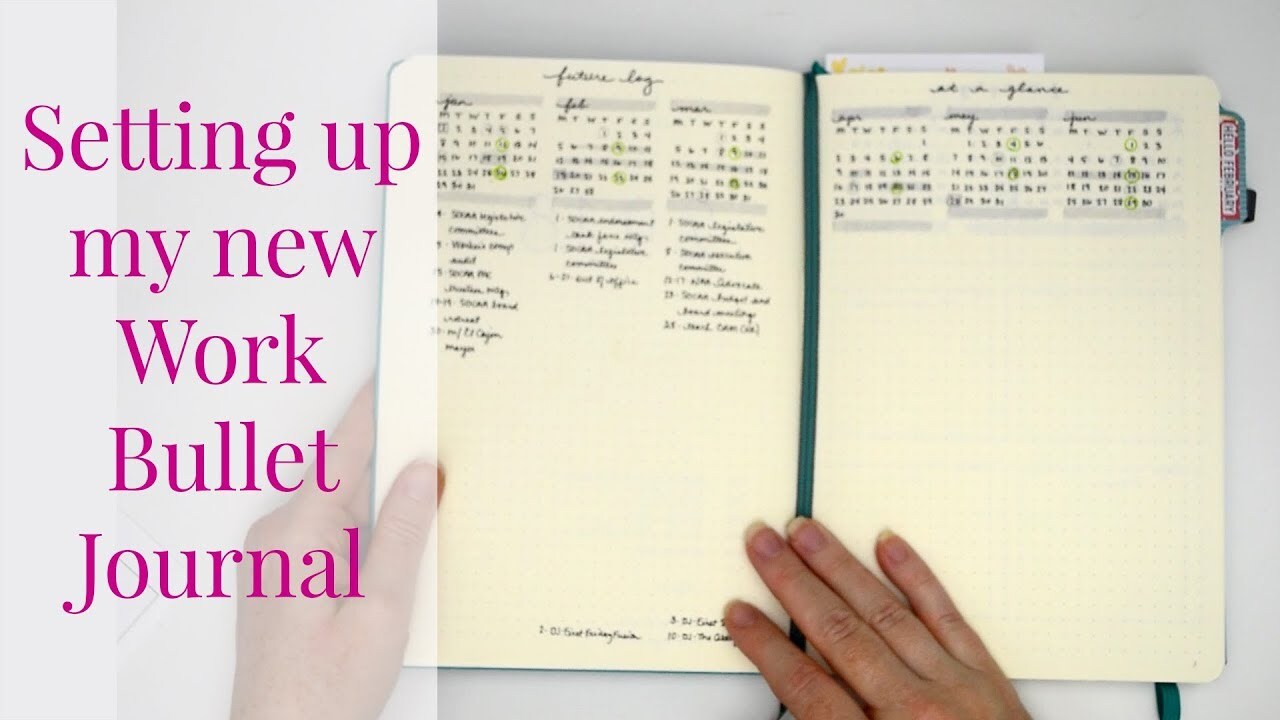
Consistency in using a bullet journal for work hinges on establishing a routine and making it a habit. This involves integrating the journal into your daily workflow, not as an additional task, but as an integral part of your work process. Effective strategies for consistent use will directly impact your productivity and organization.Sustaining motivation is crucial for long-term success with any organizational system, especially one as personal as a bullet journal.
Addressing potential obstacles, like procrastination, and incorporating motivational elements can significantly contribute to your commitment to using your bullet journal consistently. Reviewing and adjusting your system as your needs evolve is a key element of its long-term effectiveness.
Strategies for Consistent Use
Regularity and consistency are paramount to reaping the benefits of a bullet journal. Implementing a daily or weekly review routine can solidify the habit. For instance, dedicate 15 minutes each morning to reviewing your tasks and adjusting your schedule as needed. This proactive approach ensures your bullet journal remains a dynamic tool, adapting to changing priorities. Consistency also involves choosing a time and location that works best for you, making it an enjoyable and accessible part of your routine.
Overcoming Procrastination
Procrastination is a common challenge. Understanding the root causes of procrastination, such as feeling overwhelmed, lacking clarity, or facing unrealistic expectations, is the first step. Breaking down large tasks into smaller, manageable steps can make them less daunting. This approach fosters a sense of accomplishment and progress, which can motivate continued use. Additionally, incorporating rewards for completing tasks can provide positive reinforcement, increasing motivation.
Motivational Tips
Motivation stems from a variety of sources. Visualizing your goals and the benefits of staying organized can be incredibly powerful. Consider creating a vision board, or simply visualizing yourself successfully managing your work through the bullet journal. Celebrate your accomplishments, no matter how small. Acknowledging progress is essential to maintaining enthusiasm and reinforcing the positive feedback loop.
A sense of personal accomplishment will further fuel your motivation. Finally, consider enlisting an accountability partner to support you and keep you on track.
Reviewing and Adjusting
Regular review is crucial to maintaining the effectiveness of your bullet journal. Assess your progress and identify areas needing adjustment. This could include refining task prioritization methods or adapting the structure of your journal to better suit evolving work patterns. Regularly reviewing and adapting your system ensures its continued relevance and effectiveness. For instance, if you find a particular section is not working, try a different approach or eliminate it altogether.
Personal Development Tracking
The bullet journal can serve as a valuable tool for tracking personal development goals. By logging your progress, you gain a clearer understanding of your achievements and areas needing improvement. This fosters self-awareness and encourages a proactive approach to personal growth. For example, if you aim to improve time management skills, you can track your time spent on various tasks within your bullet journal.
By tracking your personal development, you’ll gain a clearer understanding of your progress and identify areas needing improvement.
Visualizing Work Progress
Visualizing your work progress in a Bullet Journal allows for a clear and engaging representation of your achievements and areas needing attention. This visual approach fosters a better understanding of your workflow, enabling you to identify patterns, bottlenecks, and areas for improvement. By utilizing various visual tools, you can track project milestones, monitor task completion, and gain a holistic view of your overall work performance.Effective visualization techniques transform abstract data into easily digestible insights.
This enables you to spot trends, anticipate challenges, and make informed decisions regarding your workflow. Visual representations foster a stronger sense of accomplishment and motivation, crucial for maintaining consistency in your work.
Progress Charts and Trackers
Creating visual representations of your work progress is a cornerstone of effective project management. Progress charts and trackers allow you to monitor the status of individual tasks and projects in a clear, concise format. These visual aids provide an immediate overview of your workflow, facilitating quick identification of potential delays or bottlenecks.
- Task Completion Charts: These charts can be simple bar graphs or progress circles, clearly indicating the percentage of tasks completed for a given project or time period. For instance, a project requiring 10 tasks could be represented by a horizontal bar divided into 10 segments. Each completed task would fill a segment, providing a dynamic visual representation of progress.
- Timeline Trackers: Visual timelines offer a chronological view of project milestones. Using a horizontal timeline, you can represent key events and deadlines, enabling you to see how tasks fit within the overall project schedule. This approach aids in anticipating potential conflicts and adjusting your workflow accordingly.
Project Milestones and Graphs
Representing project milestones on a visual graph provides a comprehensive overview of progress over time. Graphs and charts effectively illustrate the progress made towards specific targets and milestones, enabling you to identify trends and adjust your approach as needed.
- Milestone Charts: Use a line graph to plot the completion of key milestones against a timeline. This visually displays the rate of progress and identifies any deviations from the expected schedule. For instance, if a project is scheduled for completion in three months, the line graph would track milestones like “Design complete,” “Prototype ready,” and “Testing complete” along the timeline.
- Dependency Charts: Illustrate the dependencies between tasks. A dependency chart uses arrows to connect tasks, showing which tasks must be completed before others can begin. This visual representation can highlight potential delays caused by dependencies and guide you in rescheduling or prioritizing tasks.
Utilizing Colors for Emphasis
Employing color-coding within your progress visualizations can enhance clarity and focus. Colors can emphasize different aspects of your progress, enabling quick identification of specific project elements or task categories.
- Categorization: Use different colors to represent different categories of tasks or projects. For example, assign a specific color to personal tasks, work-related tasks, or tasks related to different projects. This categorization simplifies the identification and prioritization of tasks based on their nature.
- Progress Levels: Assign colors to different levels of task completion. A vibrant green could represent tasks completed, a light green for tasks in progress, and a yellow or orange for tasks that are overdue or need immediate attention. This visual representation quickly communicates the current status of tasks.
Visual Representations for Tracking Work Progress
The table below provides a summary of various visual representations for tracking work progress in your Bullet Journal.
| Visual Representation | Description | Example |
|---|---|---|
| Task Completion Chart | Graphical representation of task completion percentages | Horizontal bar graph showing the percentage of tasks completed for a project. |
| Timeline Tracker | Chronological representation of project milestones and deadlines | Horizontal timeline with key milestones marked. |
| Milestone Chart | Line graph illustrating progress towards milestones over time | Line graph plotting completion of key milestones against a timeline. |
| Dependency Chart | Visual representation of task dependencies | Chart with arrows connecting tasks, showing which tasks must be completed first. |
Integrating Digital Tools with Bullet Journaling
Bullet journaling, while primarily a physical practice, can greatly benefit from the integration of digital tools. This approach allows for seamless synchronization of tasks, reminders, and information, enhancing the overall efficiency and organization of your work life. By combining the structured visual nature of bullet journaling with the functionality of digital platforms, you can create a powerful system for managing your workflow and achieving your goals.Leveraging digital tools in conjunction with your bullet journal allows for streamlined task management and improved organization.
This integration facilitates the smooth flow of information between physical and digital formats, maximizing the benefits of both approaches. You can effortlessly import data from various digital sources, creating a comprehensive record of your work activities and goals.
Using Calendar Apps
Calendar applications are indispensable tools for scheduling appointments, deadlines, and important events. Integrating these apps with your bullet journal enhances your ability to visualize your work schedule and maintain a clear overview of your commitments. By linking appointments from your calendar to corresponding entries in your bullet journal, you can create a comprehensive record of your work day.
This integration ensures a seamless transition between your physical and digital records, making your work more organized and efficient. For example, a meeting scheduled on Google Calendar can be linked to a corresponding entry in your bullet journal, allowing for detailed notes and follow-up actions to be recorded alongside the meeting details.
Using Project Management Software
Project management software, like Trello or Asana, provides robust features for task management, collaboration, and progress tracking. These tools are particularly helpful for complex projects, allowing for detailed breakdowns of tasks and assignments. By importing project tasks from such software into your bullet journal, you can benefit from a dual-system approach, combining the detailed structure of the project management tool with the visual and flexible nature of your bullet journal.
This approach enables a clear visual representation of project progress, deadlines, and assigned responsibilities. For instance, if a project task is assigned on Asana, you can record it in your bullet journal, noting specific sub-tasks, due dates, and assigned team members.
Importing Data from Digital Sources
Importing data from digital sources into your bullet journal can significantly enhance its usefulness. This process allows you to synthesize information from various platforms into a single, easily accessible location. For instance, you can import emails containing project details or client information, creating a centralized repository within your bullet journal. Tools like Evernote or OneNote can be invaluable in this process, allowing you to export data in a format suitable for import into your bullet journal.
Furthermore, you can export data from project management tools to use in your journal, allowing for a comprehensive overview of tasks and their status.
Linking Tasks in the Bullet Journal to Digital Counterparts
Linking tasks in your bullet journal to their digital counterparts is a crucial aspect of integration. This process establishes a connection between your physical and digital systems, allowing for a consistent and comprehensive view of your work. You can create a dedicated section in your bullet journal to list all relevant digital task links, or use a simple system of corresponding identifiers (like a unique code or a reference number).
This ensures that any updates made in the digital realm are immediately reflected in your bullet journal, and vice versa.
Comparison Table of Popular Digital Tools
This table provides a comparative overview of popular digital tools and their integration with bullet journaling.
| Digital Tool | Strengths | Bullet Journal Integration |
|---|---|---|
| Google Calendar | Excellent for scheduling appointments and deadlines. | Easy to import events and create linked entries in the bullet journal. |
| Trello | Robust task management and visual project organization. | Allows for exporting task lists and linking to specific journal entries. |
| Asana | Comprehensive project management with detailed task breakdowns. | Exportable task data can be incorporated into the bullet journal for visual tracking. |
| Evernote | Versatile note-taking and data storage platform. | Allows for exporting notes and importing them into the bullet journal. |
| OneNote | Provides digital note-taking and organization. | Data export options make it easily integrable with bullet journaling. |
Examples of Specific Bullet Journal Work Layouts

A well-structured bullet journal can significantly enhance work productivity and organization. Tailoring layouts to specific job roles and tasks can further streamline workflow and facilitate better time management. This section will detail various bullet journal layouts designed for diverse professional contexts, offering practical examples and templates.Different job roles require different approaches to task management and information organization. Employing a customized bullet journal layout can significantly improve efficiency and clarity, leading to better outcomes.
Project Manager Layouts
Project managers often juggle multiple tasks and deadlines. A dedicated bullet journal layout can help track progress, manage resources, and ensure projects stay on schedule. A key component is a project overview section that details the project’s goals, milestones, and allocated resources. Sub-sections for individual tasks, including assigned personnel, deadlines, and dependencies, should be included. A separate section for risk assessment and contingency planning is also valuable.
Marketing Specialist Layouts
Marketing specialists often need to track campaigns, analyze data, and manage various tasks related to marketing strategies. A bullet journal layout for a marketing specialist could include sections for campaign tracking, outlining key metrics, and recording campaign performance data. Separate sections for social media activity, content creation, and customer interaction logs are essential. These layouts can be further customized by including templates for tracking customer engagement, competitor analysis, and market research.
Client Project Management Layout
Managing client projects effectively requires detailed tracking and communication. A dedicated bullet journal layout can help manage client projects, ensuring smooth progress and timely delivery. Each project should have a dedicated spread, including a project summary, client contact information, project timeline, and key deliverables. Include sections for tracking tasks, milestones, and budget allocations. Templates for client communication logs and feedback forms can also be integrated into the layout.
Daily Task and Time Management Layout
Tracking daily tasks and managing time effectively is crucial for any professional. A bullet journal layout designed for daily task management can help maintain focus and optimize productivity. A daily log should include a prioritized task list, estimated time allocation for each task, and a section for tracking actual time spent. A separate section for reflecting on daily activities and identifying areas for improvement is beneficial.
Customer Interaction Recording Layout
Effective communication with customers is essential for maintaining positive relationships. A bullet journal layout designed for recording customer interactions can streamline communication and improve customer satisfaction. A section for recording each customer interaction, including the date, time, subject, key points, and follow-up actions, is recommended. This section should include templates for tracking customer feedback and identifying recurring issues or patterns.
Specific Professional Task Templates
A bullet journal can be used to create templates for various professional tasks, streamlining workflows and improving consistency. Examples include templates for:
- Meeting minutes: Include sections for attendees, agenda items, decisions made, action items, and assigned responsibilities.
- Report summaries: Include sections for key findings, recommendations, and action items.
- Brainstorming sessions: Include sections for ideas, categorized thoughts, and next steps.
Employing these templates will enhance the organization and efficiency of professional tasks.
Last Point
In conclusion, bullet journaling offers a dynamic and customizable system for optimizing your professional workflow. By incorporating the strategies and templates presented in this guide, you can significantly improve task management, enhance productivity, and gain valuable insights into your work patterns. Whether you’re a project manager, marketing specialist, or in any other role, the bullet journal can be your trusted companion for professional success.